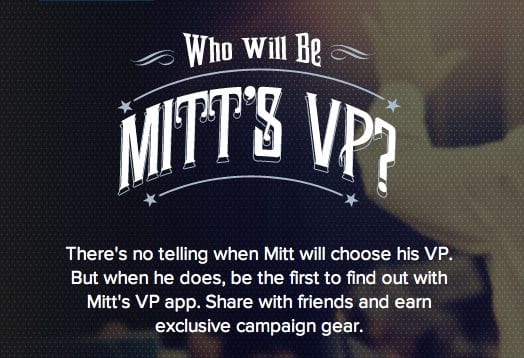
Forget a press release. Presumed Republican presidential candidate Mitt Romney will be announcing his much-anticipated pick for Vice President via a mobile app called "Mitt's VP".
The catch? Users downloading the mobile app must provide their name, email, address, zip code and, optionally, their phone number. Seems like a grab for information, and what exactly happens after Mitt Romney publicizes his pick? Absolutely nothing. The only new functionality of the mobile app is a push notification that will predominantly appear on your mobile device.
You would think people would learn from the 2008 election, in which Obama created and pushed a similar app. Used to reveal Joe Biden as the vice presidential pick, he essentially used the app to collect phone numbers. The Hill's Twitter Room takes us back to 2008:
That approach was widely heralded as a way for the Obama campaign team to collect phone numbers for supporters that could later be used for get-out-the-vote and fundraising efforts. The president's campaign continues to send text messages to users' phones today.
Ethan Klapper continues,
Romney's new app allows the campaign to collect personal information entirely within the app, as well as crucial location data that will allow the campaign to target subsequent email messages to swing state supporters.
Not only can Romney now email you, but he can essentially find you. Florida Senator and potential Republican VP nominee seems to be on board, promoting the app via Twitter:
https://twitter.com/marcorubio/status/230316543244910593
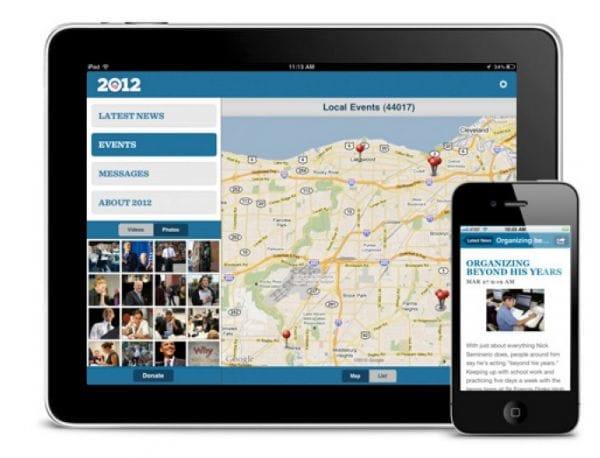
And in the spirit of this week's theme at IVN, competition, Barack Obama's re-election campaign has also launched a mobile app, called "Obama for America". The new iOS app allows users to find events, share breaking news via Twitter, Facebook, email, and text messaging, sign up to volunteer, and access voting and registration rules for your state.
It integrates his website into a dashboard for users to customize and navigate, and since its release yesterday, it has been given a 5 star review on iTunes. Credit: cultofmac.com
I downloaded both applications on my phone, and this is what I found:
Obama'a application is easy to use, much like his campaign website. I found the most innovative feature to be the "Events" page, which uses your GPS location (after asking for permission) to find events near you. You can RSVP directly from the application, making it easy for volunteers to find events, locations, times etc.
Romney's application has four tabs: Home, Twitter, VP, and Donate. There is nothing new here. When you click on the VP icon, an image pops up saying "Coming Soon." The Home tab asks you to sign in with email or Facebook, while the Donate tab takes you back to his campaign website. Lastly, the Twitter tab is just like a Twitter feed. Your only option is to retweet, whereas Obama provides you the option to share news via Facebook, Twitter, email, and text message. Mitt Romney's application is definitely lacking some creativity and functionality.
In my nonpartisan opinion, which is based entirely on the functionality of the dueling applications, not the candidates, Obama's application has a multitude of features that allows users to get involved in his campaign, whereas Romney's application seems like a media push to hype up his VP pick.
Obama is not new to the game, and learned from his mistakes back in 2008. His first mobile app was released just weeks after the Apple App store even opened, and while it was a successful tool, it was hardly developed. This time around, Obama's re-election team has more experience and technological advances have allowed them to develop an application to its fullest potential.
Anxious to find out Romney's VP pick? You can download the app here. Want to see what all the hype is about? You can download Obama's app here.